



Finding a budget router that delivers maximum speed can feel like navigating a technological maze. In 2026, the market is flooded with options, each promising the world without breaking the bank. However, understanding the key specifications and features to look for is crucial to making an informed decision. This guide will help you decipher the jargon, identify your needs, and select a router that delivers the best possible performance for your money. We’ll explore various technologies and standards to help you choose the right router for seamless streaming, gaming, and general internet browsing, all while staying within a reasonable budget.
Understanding Your Internet Needs
Before diving into router specifications, it’s essential to assess your specific needs. Do you primarily use the internet for browsing social media and checking emails, or do you stream high-definition videos and play online games? The number of devices connected to your network also plays a significant role; a household with multiple smartphones, laptops, and smart home devices will require a more robust router than a single-person apartment. Think about the typical activities performed online and the corresponding bandwidth requirements.
Consider the size of your home. Larger homes will benefit from routers with better range or the use of mesh networking systems. Also, review your current internet plan; there’s no point in buying a high-end router if your internet service provider (ISP) provides a limited bandwidth. Knowing your internet speed and usage habits will significantly narrow down your options to routers that can actually maximize your connection capacity. Aim for a buffer; a router that can handle speeds slightly higher than your current plan will future-proof your network to some extent.
Key Router Specifications to Consider

Understanding router specifications is critical for making an informed purchase. The most important specification is the Wi-Fi standard it supports, such as Wi-Fi 5 (802.11ac) or Wi-Fi 6 (802.11ax). Wi-Fi 6 offers faster speeds, improved range, and better performance in congested environments. Look also at the router’s maximum theoretical speed, which is usually expressed in Mbps or Gbps. This number is, however, a theoretical maximum and may be lower in real-world conditions.
Beyond the Wi-Fi standard and speed, consider the number of antennas. More antennas usually result in better coverage and signal strength. Also, evaluate the router’s processor and RAM, as these components influence its ability to handle multiple connected devices and process network traffic. Features like Quality of Service (QoS) allow you to prioritize certain types of traffic, such as video streaming, to ensure a smoother experience. Don’t overlook security features, such as WPA3 encryption, which offers improved security compared to older standards like WPA2.
Exploring Router Bands: Single, Dual, & Tri-Band
Routers are classified by the number of frequency bands they support: single-band, dual-band, and tri-band. A single-band router operates on the 2.4 GHz frequency, which has a longer range but is more prone to interference. Dual-band routers support both 2.4 GHz and 5 GHz frequencies, allowing you to connect devices to the less congested 5 GHz band for faster speeds. Tri-band routers add a second 5 GHz band, further reducing congestion and improving performance.
For most budget-conscious users, a dual-band router is often the best compromise between price and performance. However, if you have many devices and experience significant network congestion, a tri-band router might be worth the investment. Consider also the devices in your home; some older devices may only support the 2.4 GHz band, so ensuring compatibility across your entire network is important. Ultimately, the best choice depends on your specific needs and budget constraints.
Top Budget Router Brands in 2026
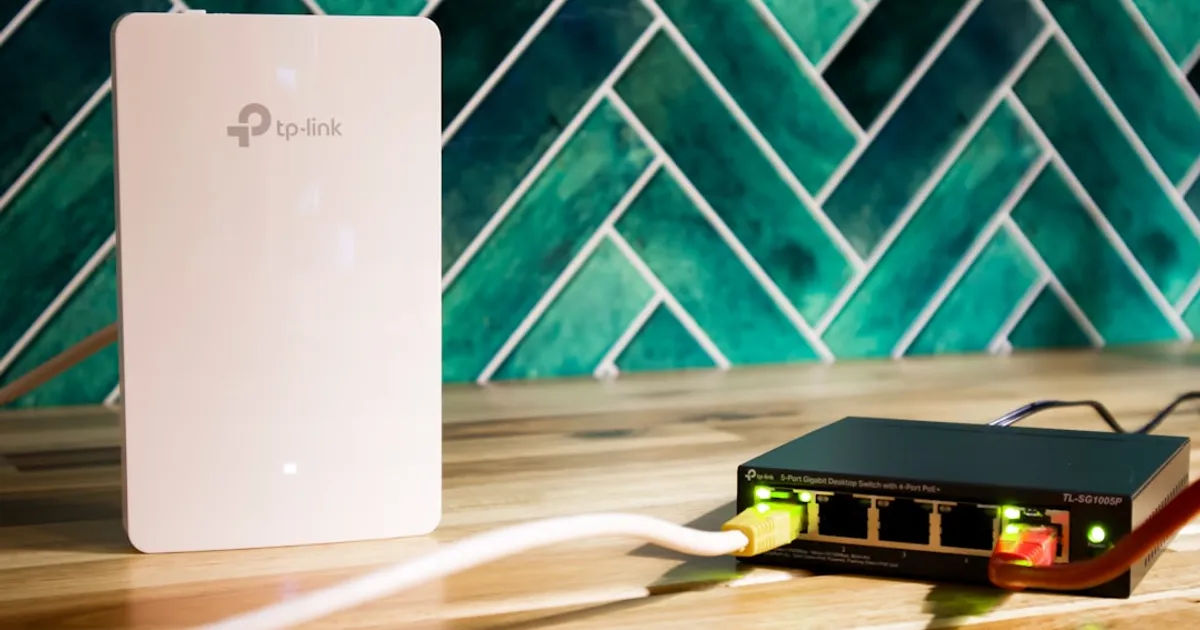
Several reputable brands offer excellent budget routers. TP-Link, ASUS, and Netgear are consistently ranked among the best. TP-Link routers are known for their affordability and ease of use, making them a popular choice for beginners. ASUS routers offer a balance of performance and features, often including advanced settings for experienced users. Netgear routers are generally reliable and come with a user-friendly interface.
When selecting a brand, consider factors such as customer support, warranty, and firmware update frequency. Reading reviews from other users can provide valuable insights into the real-world performance and reliability of different models. Pay attention to aspects like Wi-Fi range, speed consistency, and ease of setup. Also, check if the router supports features like parental controls and guest networks. Compare specifications like the Wi-Fi standard (Wi-Fi 5 or Wi-Fi 6), maximum speed, and number of antennas to make an informed decision.
Tips for Maximizing Router Speed
Even the best router can suffer from poor performance if not properly configured. Start by placing the router in a central location, away from obstructions and sources of interference such as microwaves and cordless phones. Update the router’s firmware to the latest version to ensure optimal performance and security. Regularly reboot the router to clear its memory and improve its responsiveness.
Use a Wi-Fi analyzer app to identify the least congested channel and manually set your router to that channel. Enable Quality of Service (QoS) to prioritize bandwidth for critical applications like video streaming and online gaming. Secure your Wi-Fi network with a strong password and enable WPA3 encryption. Consider using a wired connection for devices that require the highest possible speed, such as gaming consoles and desktop computers. By implementing these tips, you can significantly improve your router’s performance and get the most out of your internet connection.
Understanding MU-MIMO
MU-MIMO (Multi-User, Multiple Input, Multiple Output) is a technology that allows routers to communicate with multiple devices simultaneously, rather than sequentially. This significantly improves network efficiency, especially in homes with many connected devices. Look for routers that support MU-MIMO to enhance performance and reduce latency. MU-MIMO can significantly improve the overall user experience, especially if multiple family members are using the internet at the same time for different purposes.
Securing Your Budget Router

Securing your router is paramount to protecting your personal information and preventing unauthorized access to your network. Start by changing the default router password to a strong, unique password that is difficult to guess. Enable WPA3 encryption, as it offers improved security compared to older standards like WPA2. Keep your router’s firmware up to date to patch any security vulnerabilities.
Enable the router’s firewall to block unauthorized access attempts. Consider enabling features like MAC address filtering to restrict access to only authorized devices. Disable remote management if you don’t need to access your router from outside your home network. Regularly review your router’s security settings to ensure that they are properly configured. By taking these precautions, you can significantly enhance your router’s security and protect your network from potential threats. You should also consider using a VPN to protect your online activity. Learn more about VPNs here.
Key Takeaways
- Assess your internet needs: Consider your bandwidth requirements and the number of connected devices.
- Understand router specifications: Pay attention to Wi-Fi standards, speed, and antennas.
- Choose the right band: Dual-band routers offer a good balance of price and performance for most users.
- Select a reputable brand: TP-Link, ASUS, and Netgear are consistently ranked among the best.
- Maximize router speed: Place the router in a central location and update the firmware.
- Secure your router: Change the default password and enable WPA3 encryption.
Frequently Asked Questions
What is the difference between Wi-Fi 5 and Wi-Fi 6?
Wi-Fi 6 (802.11ax) is the latest Wi-Fi standard, offering faster speeds, improved range, and better performance in congested environments compared to Wi-Fi 5 (802.11ac). Wi-Fi 6 also incorporates technologies like OFDMA and Target Wake Time (TWT) to improve network efficiency and battery life.
How often should I update my router’s firmware?
You should update your router’s firmware whenever a new update is available. Firmware updates often include security patches, bug fixes, and performance improvements. Check your router manufacturer’s website or app for updates on a regular basis.
What is Quality of Service (QoS)?
Quality of Service (QoS) is a feature that allows you to prioritize certain types of network traffic, such as video streaming or online gaming. By prioritizing these applications, you can ensure a smoother experience even when other devices are using the network.
How can I improve my router’s Wi-Fi range?
To improve your router’s Wi-Fi range, try placing it in a central location, away from obstructions and sources of interference. You can also try adjusting the antennas or using a Wi-Fi extender or mesh networking system to extend the range. Read this pcmag article for some router suggestions.
Is it necessary to buy an expensive router for basic internet use?
No, it is not necessary to buy an expensive router for basic internet use. A budget-friendly router with decent specifications can suffice for browsing social media and checking emails. However, if you stream high-definition videos, play online games, or have many connected devices, investing in a more powerful router may be worthwhile.
Conclusion
Choosing a budget router with maximum speed for 2026 doesn’t have to be a daunting task. By understanding your internet needs, key router specifications, and the different available options, you can make an informed decision that delivers the best possible performance for your money. Remember to prioritize features like dual-band support, Wi-Fi 6 compatibility, and strong security measures. With careful research and consideration, you can find a router that meets your requirements without breaking the bank, ensuring a smooth and reliable internet experience for years to come.