

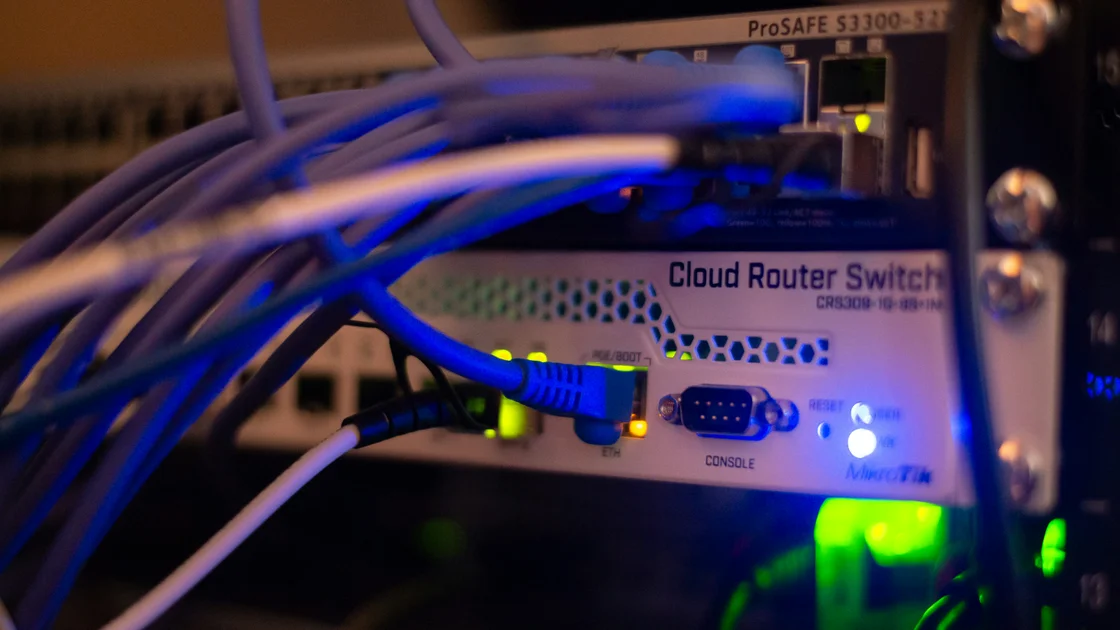

Learning how to choose a router for smart home devices is the most critical step in building a reliable digital ecosystem in 2026. With the average modern household juggling dozens of connected lights, cameras, thermostats, and appliances, your network infrastructure acts as the nervous system for your living space. A standard ISP-provided gateway often fails to handle the simultaneous data streams required by modern IoT protocols like Matter and Thread. By selecting the right hardware, you ensure that your video doorbells remain responsive, your automation routines trigger without latency, and your security systems maintain constant connectivity. This guide will help you navigate the complex world of Wi-Fi 7, mesh systems, and tri-band technology to find the perfect backbone for your automated home.
Understanding Modern Connectivity Demands
In 2026, the sheer density of connected devices necessitates a shift away from budget hardware toward robust, high-capacity networking equipment. Unlike traditional web browsing, smart home devices frequently chatter in the background, sending small packets of data that can overwhelm cheaper processors. When selecting a router, prioritize models that support Wi-Fi 7, as this standard introduces Multi-Link Operation (MLO) to aggregate bands for increased stability. This is particularly vital for households that rely on bandwidth-heavy 4K security cameras alongside low-power sensors.
Beyond raw speed, you must consider the “client capacity” of the router. Most entry-level routers struggle once you exceed fifteen to twenty devices, leading to dropped connections or “zombie” states where sensors appear offline in your management app. Look for devices labeled as high-density or mesh-capable, which offload traffic processing to dedicated hardware. Reliable networking resources, such as those found on Wi-Fi Alliance, emphasize that capacity is more important than theoretical maximum speed when designing a smart home infrastructure that needs to stay online 24/7.
The Case for Mesh Networking
For homes exceeding 1,500 square feet or those with challenging layouts involving brick or concrete, a single-point router is rarely sufficient. Mesh systems distribute the signal across multiple nodes, ensuring that your smart locks near the front door and your pool controllers in the backyard maintain a strong handshake with the gateway. By creating a unified SSID, your devices roam seamlessly between nodes without disconnecting, which is crucial for mobile smart home controllers or roaming security cameras.
Evaluating Dedicated Backhaul
If you are serious about performance, pay close attention to the backhaul strategy of your mesh system. Tri-band systems are essential because they reserve one entire radio frequency for communication between nodes, preventing your smart devices from competing with the mesh network’s internal traffic. This configuration effectively clears the airwaves, reducing latency and jitter. In 2026, many high-end systems now offer 6GHz backhaul, which provides a clean, interference-free lane for your nodes to talk to each other, resulting in a much more responsive smart home experience.
Reddit & Expert Community Consensus
“Stop buying the cheapest router on the shelf if you have more than ten smart devices. I spent years troubleshooting ‘offline’ smart bulbs until I switched to a tri-band mesh system with a dedicated 6GHz backhaul. The difference is night and day; my automation triggers happen in milliseconds now. Most people don’t realize that their ISP gateway is just a bottleneck, not a true smart home solution.” — Excerpt from r/HomeNetworking, 2026.
The sentiment across professional forums is clear: network congestion is the primary enemy of the modern smart home. Experts consistently recommend moving away from the “all-in-one” approach of ISP equipment. Instead, they suggest investing in a dedicated router that handles traffic management, security, and device prioritization. By isolating your IoT devices on a dedicated Guest Network or a separate VLAN, you can prevent a compromised smart device from accessing your primary computing hardware, adding a layer of security that is often ignored by casual users.
Pros and Cons Analysis
Choosing the right networking equipment involves balancing performance, budget, and ease of use. The following table provides a breakdown of the most common hardware choices for modern smart homes.
| Feature | High-End Mesh System | Standard ISP Gateway | Dedicated Gaming Router |
|---|---|---|---|
| Device Capacity | High (100+ devices) | Low (10-15 devices) | Medium (30-50 devices) |
| Signal Coverage | Excellent (Multi-node) | Poor/Average | Good (Single-point) |
| Latency | Very Low | High | Low |
| Ease of Setup | Very Easy | Automatic | Complex |
| Cost | Expensive | Included/Low | Moderate |
While mesh systems offer the best coverage and reliability for smart homes, they do come with a higher initial price tag. Conversely, ISP gateways are cost-effective but often lack the sophisticated traffic management features required for complex automation routines. Gaming routers provide raw performance but are often optimized for singular, high-bandwidth gaming PCs rather than the wide-area coverage required for scattered smart sensors and exterior security cameras.
Security and Firmware Updates
The security of your smart home is only as strong as the router that connects it to the internet. Because many smart devices receive infrequent security patches, your router acts as the primary firewall guarding your privacy. Always choose a manufacturer that has a documented history of providing long-term firmware support. In 2026, features like WPA3 encryption are non-negotiable for protecting your network against modern brute-force attacks and unauthorized access attempts from bad actors.
Automated update scheduling is another vital feature to look for during your purchase. A router that can download and install security patches during late-night hours ensures that your home remains protected without disrupting your daily activities. Furthermore, look for routers that offer built-in threat detection services, which scan incoming and outgoing traffic for suspicious patterns. Resources like the Cybersecurity and Infrastructure Security Agency regularly highlight the importance of securing home network endpoints to prevent botnet integration, making this a critical safety step for every homeowner.
Future-Proofing Your Home
When you invest in a new router, you are essentially laying the infrastructure for the next five years of technological advancement. With the rapid adoption of Matter, more devices than ever are communicating locally. A router that supports advanced features like OFDMA and MU-MIMO will continue to perform well as you add more devices to your network. Do not be tempted by marketing gimmicks regarding “maximum speed” on a single band; instead, focus on the total aggregate throughput and the processor speed of the device itself.
Finally, consider the physical placement of your router. Even the most expensive Wi-Fi 7 hardware will struggle if it is buried inside a metal cabinet or hidden behind a television. Place your main node in a central, elevated position to allow for optimal signal propagation throughout your home. If you are using a mesh system, ensure that the secondary nodes have a clear line of sight to the main unit whenever possible. Proper physical installation is just as important as the specifications on the box for achieving a stable, high-performance environment.
Key Takeaways
- Prioritize Wi-Fi 7 or high-end Wi-Fi 6E routers for future-proofing your home in 2026.
- Mesh systems provide the best coverage for homes with multiple smart devices.
- Always isolate IoT devices on a Guest Network to enhance security and network stability.
- Check for dedicated backhaul capabilities to prevent internal network congestion.
- Ensure your router supports WPA3 encryption to protect against modern cyber threats.
- Select a brand known for consistent, long-term firmware support and updates.
Frequently Asked Questions
Do I really need a Wi-Fi 7 router for my smart home?
While Wi-Fi 7 is not strictly required for basic bulbs, it is highly recommended in 2026 for homes with dozens of devices, as it handles massive traffic density far better than older standards.
Can I use my ISP-provided router alongside a new one?
Yes, you can often set your ISP gateway to “bridge mode” and connect your own high-performance router to handle all routing, Wi-Fi, and security duties for a superior experience.
How many smart devices can a typical router handle?
Basic routers often start lagging after 15-20 devices, while premium mesh systems are specifically designed to manage over 100 concurrent connections without a performance drop.
What is the benefit of a dedicated IoT network?
Creating a separate network for smart devices prevents them from interfering with your high-bandwidth activities like streaming or gaming and adds a critical security layer.
Should I use Ethernet for my smart home hub?
Whenever possible, connect your main smart home hub or mesh nodes via Ethernet backhaul to free up wireless bandwidth and ensure the lowest possible latency for automation.
Conclusion
Choosing the right router is a foundational decision that dictates the reliability and security of your smart home experience. By prioritizing device capacity, mesh capabilities, and modern security standards like WPA3, you create a robust environment where your technology works for you, rather than causing constant frustration. Whether you are automating your lighting or securing your perimeter with video surveillance, a high-quality network is the silent partner in your success. Take the time to evaluate your specific square footage and device density, and you will enjoy a seamless, interconnected living space for years to come.