

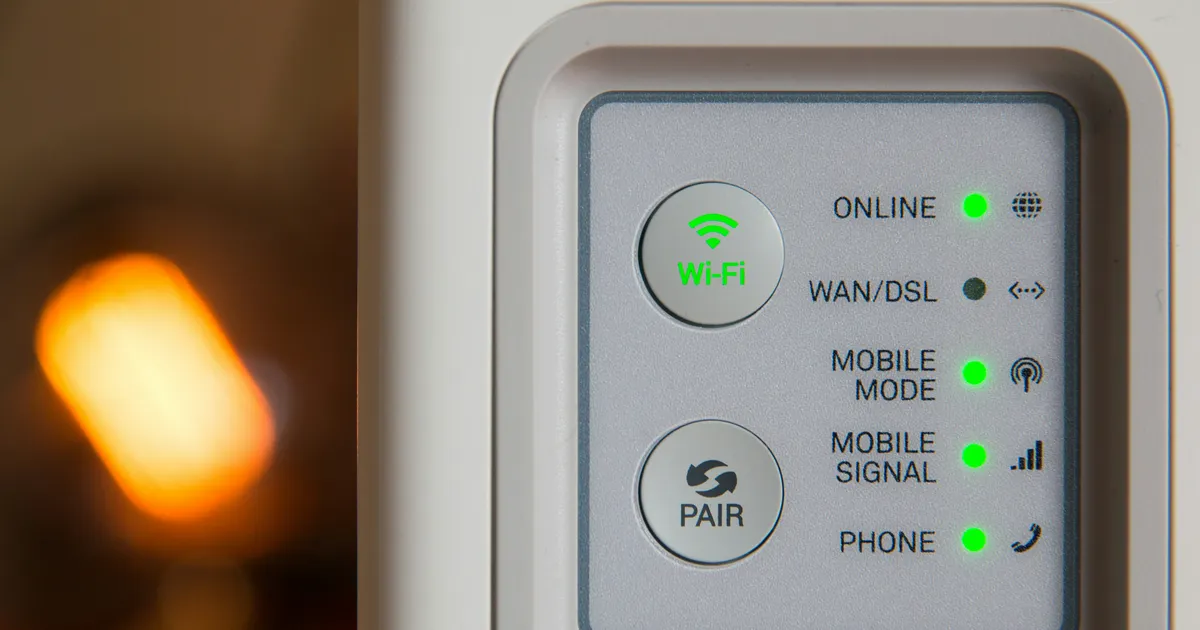

Diagnosing and fixing Wi-Fi interference from household appliances is crucial in today’s digital age, where a stable internet connection is essential for daily activities. Wi-Fi interference can be caused by various devices, including cordless phones, microwaves, and baby monitors, which can lead to slow internet speeds and dropped connections. In 2026, with the increasing number of smart devices in homes, it’s essential to identify and resolve Wi-Fi interference issues to ensure seamless internet connectivity. To address this issue, it’s necessary to understand the causes of Wi-Fi interference and the steps to fix it. According to the Federal Communications Commission (FCC), Wi-Fi interference can be minimized by taking a few simple steps.
Causes of Interference
Wi-Fi interference occurs when other devices in the home use the same frequency band as the Wi-Fi network, causing conflicts and disrupting the connection. Common household appliances that can cause Wi-Fi interference include microwaves, cordless phones, and baby monitors. These devices can operate on the same 2.4 GHz frequency band as many Wi-Fi routers, leading to interference and connection issues.
In addition to appliances, other devices can also cause Wi-Fi interference, such as neighboring Wi-Fi networks and physical barriers like walls and furniture. In 2026, with the growing number of devices connected to the internet, it’s essential to identify and address these interference issues to ensure reliable Wi-Fi connectivity.
Identifying Interference
To identify Wi-Fi interference, it’s necessary to use specialized tools and software. One commonly used tool is a Wi-Fi analyzer app, which can scan the surrounding area for nearby Wi-Fi networks and devices that may be causing interference. These apps can provide valuable insights into the Wi-Fi environment and help identify potential sources of interference.
Another way to identify Wi-Fi interference is to perform a site survey, which involves walking around the home with a Wi-Fi-enabled device to check for signal strength and interference. This can help pinpoint areas where interference is occurring and identify potential sources.
Fixing Interference
To fix Wi-Fi interference, it’s essential to take a few simple steps. One solution is to change the Wi-Fi channel on the router to a less crowded channel. This can help minimize interference from neighboring Wi-Fi networks and other devices. Additionally, moving the router to a central location in the home can help improve Wi-Fi signal strength and reduce interference.
Another solution is to use a Wi-Fi range extender or repeater, which can help boost the Wi-Fi signal and extend its range. These devices can be placed in areas where the Wi-Fi signal is weak, helping to improve coverage and reduce interference.
Using Quality of Service (QoS)
Using Quality of Service (QoS) settings on the router can also help prioritize internet traffic and reduce Wi-Fi interference. QoS settings allow users to prioritize certain devices or applications, ensuring that critical traffic is given priority over less important traffic. This can help minimize interference and ensure that critical devices, such as smart TVs and gaming consoles, receive a stable and reliable internet connection.
Preventing Interference
To prevent Wi-Fi interference, it’s essential to take a few simple steps. One solution is to use a dual-band router, which can operate on both the 2.4 GHz and 5 GHz frequency bands. This can help reduce interference from devices that operate on the 2.4 GHz band, such as microwaves and cordless phones.
Another solution is to upgrade to a Wi-Fi 6 router, which offers improved performance and reduced interference. Wi-Fi 6 routers use advanced technologies, such as orthogonal frequency-division multiple access (OFDMA), to improve Wi-Fi performance and reduce interference.
Tools and Resources
There are several tools and resources available to help diagnose and fix Wi-Fi interference. One useful tool is the Speedtest.net website, which can be used to test internet speeds and identify potential issues. Additionally, the Wi-Fi Alliance website provides valuable information and resources on Wi-Fi technology and interference.
In 2026, with the growing importance of Wi-Fi connectivity, it’s essential to stay informed about the latest technologies and best practices for reducing Wi-Fi interference. By using the right tools and resources, users can identify and fix Wi-Fi interference issues, ensuring a stable and reliable internet connection.
Key Takeaways
- Wi-Fi interference can be caused by various household appliances and devices
- Identifying and fixing Wi-Fi interference is crucial for ensuring reliable internet connectivity
- Using a Wi-Fi analyzer app and performing a site survey can help identify potential sources of interference
- Changing the Wi-Fi channel and using a Wi-Fi range extender can help fix interference
- Upgrading to a dual-band or Wi-Fi 6 router can help prevent interference
- Using Quality of Service (QoS) settings can help prioritize internet traffic and reduce interference
Frequently Asked Questions
What causes Wi-Fi interference?
Microwaves, cordless phones, and baby monitors are common household appliances that can cause Wi-Fi interference. These devices can operate on the same frequency band as Wi-Fi routers, leading to conflicts and disrupting the connection.
How can I identify Wi-Fi interference?
Using a Wi-Fi analyzer app and performing a site survey can help identify potential sources of interference. These tools can provide valuable insights into the Wi-Fi environment and help pinpoint areas where interference is occurring.
Can I fix Wi-Fi interference on my own?
Yes, there are several steps you can take to fix Wi-Fi interference on your own. Changing the Wi-Fi channel, using a Wi-Fi range extender, and upgrading to a dual-band or Wi-Fi 6 router can help fix interference.
What is the best way to prevent Wi-Fi interference?
Upgrading to a dual-band or Wi-Fi 6 router can help prevent Wi-Fi interference. These routers can operate on multiple frequency bands, reducing interference from devices that operate on the 2.4 GHz band.
Are there any tools or resources available to help with Wi-Fi interference?
Yes, there are several tools and resources available to help with Wi-Fi interference. The Speedtest.net website and the Wi-Fi Alliance website provide valuable information and resources on Wi-Fi technology and interference.
Conclusion
In conclusion, diagnosing and fixing Wi-Fi interference is crucial for ensuring reliable internet connectivity in 2026. By understanding the causes of interference, using the right tools and resources, and taking simple steps to fix and prevent interference, users can enjoy a stable and reliable Wi-Fi connection. Whether you’re streaming your favorite shows or working from home, a stable internet connection is essential, and fixing Wi-Fi interference is a critical step in achieving that goal.