

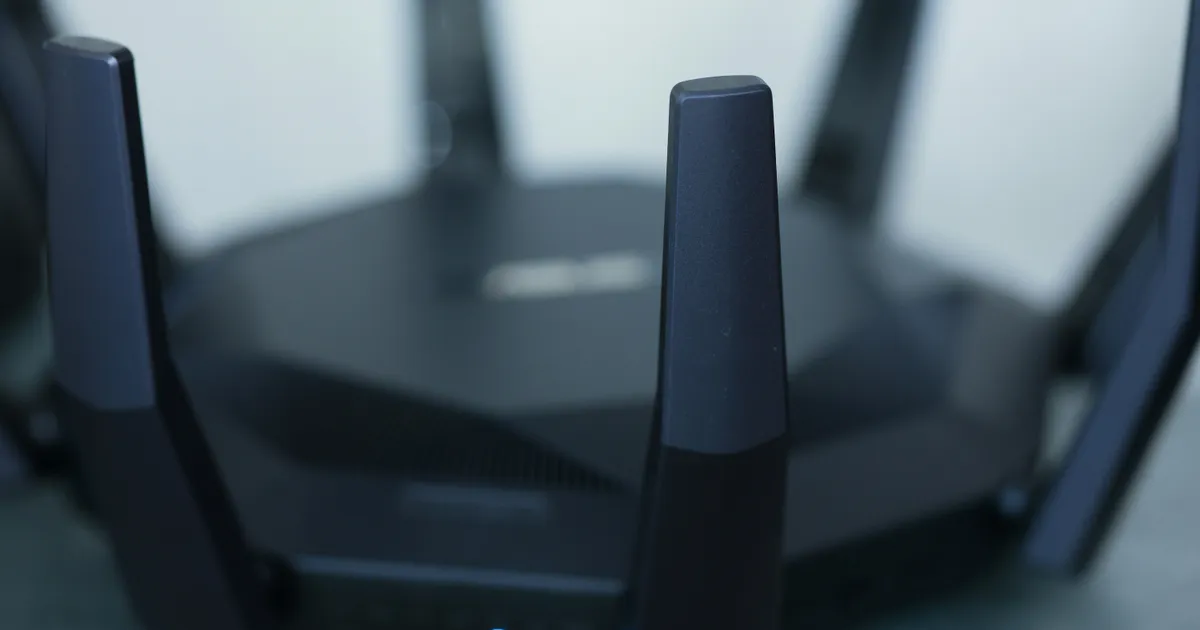


I distinctly remember the day my household plunged into digital chaos. My spouse was on a critical video call, my kids were mid-game with friends, and I was trying to upload a large project file. Suddenly, everything froze. The internet wasn’t down; it was just… overwhelmed. That frustrating experience taught me a profound lesson: your router isn’t just a box that blinks lights; it’s the beating heart of your entire digital life. If you’re wondering how to choose a router for high speed internet and multiple device connection, you’re not alone, and you’re about to embark on one of the most impactful upgrades you can make for your home network.
Match Router to Your Internet Speed
The first, and arguably most crucial, step in selecting a new router is aligning it with your internet service provider’s (ISP) promised speeds. It’s a common mistake to invest in a blazing-fast gigabit internet plan only to pair it with an outdated router that can only push 300 Mbps. Think of it like putting a tiny engine in a sports car – it simply won’t perform to its potential. Always check the router’s maximum theoretical throughput, often listed in its specifications, and ensure it comfortably exceeds your subscribed internet speed. This provides a vital buffer, especially when multiple devices are competing for bandwidth simultaneously.
Furthermore, consider future-proofing your setup. While your current plan might be 500 Mbps, the trend for internet speeds is relentlessly upward. Investing in a router that supports 2.5 Gbps or even 10 Gbps WAN/LAN ports, even if your current ISP only offers 1 Gbps, ensures you won’t need to replace it again in 2026 when higher speeds become standard. This foresight saves both money and hassle down the line, ensuring your network infrastructure can evolve with your needs without becoming a bottleneck.
Understanding Wi-Fi Standards and Bands
Navigating the alphabet soup of Wi-Fi standards is key to a robust network. Currently, you’ll primarily encounter Wi-Fi 6 (802.11ax), Wi-Fi 6E, and the nascent Wi-Fi 7 (802.11be). Wi-Fi 6 offers significant improvements over its predecessors, especially in environments with many connected devices, thanks to technologies like OFDMA and MU-MIMO. Wi-Fi 6E extends this by adding support for the 6GHz frequency band, which is less congested than the traditional 2.4GHz and 5GHz bands, offering cleaner, faster connections for compatible devices.
For high-speed internet and multiple device connection scenarios, opting for at least a dual-band Wi-Fi 6 router is highly recommended. The 2.4GHz band offers wider coverage and better penetration through walls, ideal for smart home gadgets, while the 5GHz band provides faster speeds over shorter distances, perfect for streaming and gaming. Tri-band routers go a step further, adding a second 5GHz (or 6GHz for Wi-Fi 6E/7) band, effectively doubling the high-speed lanes available for your devices and drastically reducing congestion, leading to a smoother experience for everyone.
The Power of OFDMA and MU-MIMO
These two technologies are game-changers for multi-device households. MU-MIMO (Multi-User, Multiple-Input, Multiple-Output) allows the router to communicate with multiple devices simultaneously rather than sequentially. Instead of taking turns, several devices can receive data at once, dramatically increasing efficiency and reducing latency. This is particularly beneficial when you have multiple smartphones, laptops, and streaming devices all active on your network.
OFDMA (Orthogonal Frequency-Division Multiple Access), introduced with Wi-Fi 6, further refines this by allowing a single transmission to carry data for multiple devices simultaneously. Imagine a delivery truck making several stops on one trip instead of individual trips for each package. This maximizes channel efficiency, especially for low-bandwidth smart home devices, and reduces overall network congestion, making your router perform much more effectively under heavy loads. For a deeper dive into these and other Wi-Fi technologies, you might find resources from the Wi-Fi Alliance incredibly helpful.
Router Processing Power and RAM
Just like a computer, a router needs a capable processor (CPU) and sufficient RAM to handle its tasks efficiently. When you have high-speed internet and multiple device connection requirements, a router with a weak processor will quickly become a bottleneck, regardless of its Wi-Fi standard. A powerful multi-core CPU allows the router to manage numerous concurrent connections, prioritize traffic (QoS), run security protocols, and process data packets without stuttering or slowing down the entire network.
Insufficient RAM can lead to frequent reboots, dropped connections, and overall sluggish performance, especially when running advanced features like VPN servers or robust parental controls. Aim for routers with at least a dual-core processor and 512MB to 1GB of RAM for a truly future-proof setup in 2026. This hardware muscle ensures your router can smoothly manage the constant demands of a busy household, from 4K streaming and online gaming to dozens of smart home devices, all without breaking a sweat.
Mesh Wi-Fi Systems vs. Traditional Routers
For smaller homes or apartments, a single, powerful traditional router often suffices. You place it centrally, and its signals cover your living space adequately. However, as homes grow larger, have multiple floors, or feature challenging layouts (like brick walls), a single router can struggle to provide consistent coverage, leading to frustrating dead zones. This is where mesh Wi-Fi systems shine. A mesh system consists of a main router and several satellite nodes placed strategically around your home, creating a unified, seamless Wi-Fi network.
Mesh systems are particularly excellent for multiple device connection scenarios across a large area because they eliminate dead zones and allow devices to seamlessly roam between nodes without dropping the connection. This means your video call won’t stutter as you move from the living room to the kitchen. While often more expensive than a single router, the consistent coverage, simplified setup, and scalability of a mesh system make it an invaluable investment for larger homes or those consistently plagued by poor Wi-Fi signals. For more information on setting up home networks, you can explore guides on sites like CNET.
Security and Advanced Features
Beyond raw speed, a good router offers robust security features. Look for support for WPA3 encryption, the latest and most secure Wi-Fi security protocol, which is crucial for protecting your data from prying eyes. Features like a built-in firewall, guest network isolation (to keep visitors separate from your main network), and automatic firmware updates are also non-negotiable. Some advanced routers even offer integrated VPN client support, allowing all devices connected to the router to benefit from VPN protection without individual client installations.
For families and power users, Quality of Service (QoS) controls are incredibly valuable. QoS allows you to prioritize specific types of traffic (e.g., giving gaming or video streaming priority over background downloads), ensuring critical applications always have the bandwidth they need. Parental controls, including content filtering and time limits, are also highly desirable. These advanced features contribute significantly to a stable, secure, and user-friendly network, enhancing your overall experience of how to choose a router for high speed internet and multiple device connection.
Key Takeaways
- Match your router’s maximum throughput to, or ideally exceed, your ISP’s internet speed to avoid bottlenecks. Future-proof with higher-speed WAN/LAN ports if possible.
- Prioritize Wi-Fi 6, Wi-Fi 6E, or Wi-Fi 7 (for 2026 readiness) with at least dual-band capabilities. Tri-band routers with MU-MIMO and OFDMA are ideal for high-density, multi-device environments.
- Don’t overlook the router’s internal hardware; a powerful multi-core processor and ample RAM (512MB-1GB+) are essential for handling numerous concurrent connections and advanced features smoothly.
- Consider a mesh Wi-Fi system for larger homes or those with dead zones, as they offer superior, seamless coverage compared to a single traditional router for widespread device connectivity.
Frequently Asked Questions
What’s the difference between a modem and a router?
A modem is a device that connects your home network to the internet service provider’s network, translating the digital signals from your devices into analog signals that can travel over cable or fiber lines, and vice-versa. A router, on the other hand, creates a local network (LAN) within your home, allowing multiple devices to connect to each other and share the single internet connection provided by the modem. Many ISPs provide combination modem-router units, but often, separate devices offer better performance and flexibility.
How much internet speed do I actually need for multiple devices?
This depends heavily on your household’s activities. For a family of four with 4K streaming, online gaming, and multiple video calls simultaneously, a minimum of 300-500 Mbps is usually recommended. If you have many smart home devices, frequent large downloads, or work from home with heavy cloud usage, aiming for 1 Gbps or higher provides a comfortable buffer. Remember, the router’s ability to efficiently distribute that speed to many devices is as important as the raw speed itself.
Is a more expensive router always better?
Not necessarily, but there’s often a strong correlation between price and performance, especially in the mid-to-high range. More expensive routers typically feature better processors, more RAM, advanced Wi-Fi standards (like Wi-Fi 6E/7), more antennas, and robust software features (QoS, advanced security). However, overspending on a top-tier router for a small apartment with basic internet use would be overkill. The goal is to find the sweet spot that matches your specific needs and budget without compromising on core performance.
Should I buy or rent a router from my ISP?
Generally, buying your own router is a better long-term investment. ISP-rented routers often come with monthly fees that add up over time, and they might not always be the latest or most powerful models. Owning your router gives you more control over your network settings, allows you to choose a device specifically tailored to your needs (especially crucial for how to choose a router for high speed internet and multiple device connection), and often provides better performance and features for the money. Just ensure the router you buy is compatible with your ISP’s service.
Conclusion
Choosing the right router is more than just a technical decision; it’s an investment in your home’s digital well-being. By carefully considering your internet speed, understanding Wi-Fi standards, appreciating the power of internal hardware, and evaluating mesh versus traditional setups, you can confidently select a device that transforms your online experience. A well-chosen router ensures seamless streaming, lag-free gaming, and productive work, making that initial moment of frustration a distant memory. Make an informed choice, and enjoy the smooth, reliable connectivity you deserve.